INITWIN · Editorial
Software & digital strategy
Business Intelligence for SMEs: how to turn data into decisions without an IT department
An introduction to BI and data analysis for managers: dashboards, KPIs, automated reports and realistic costs
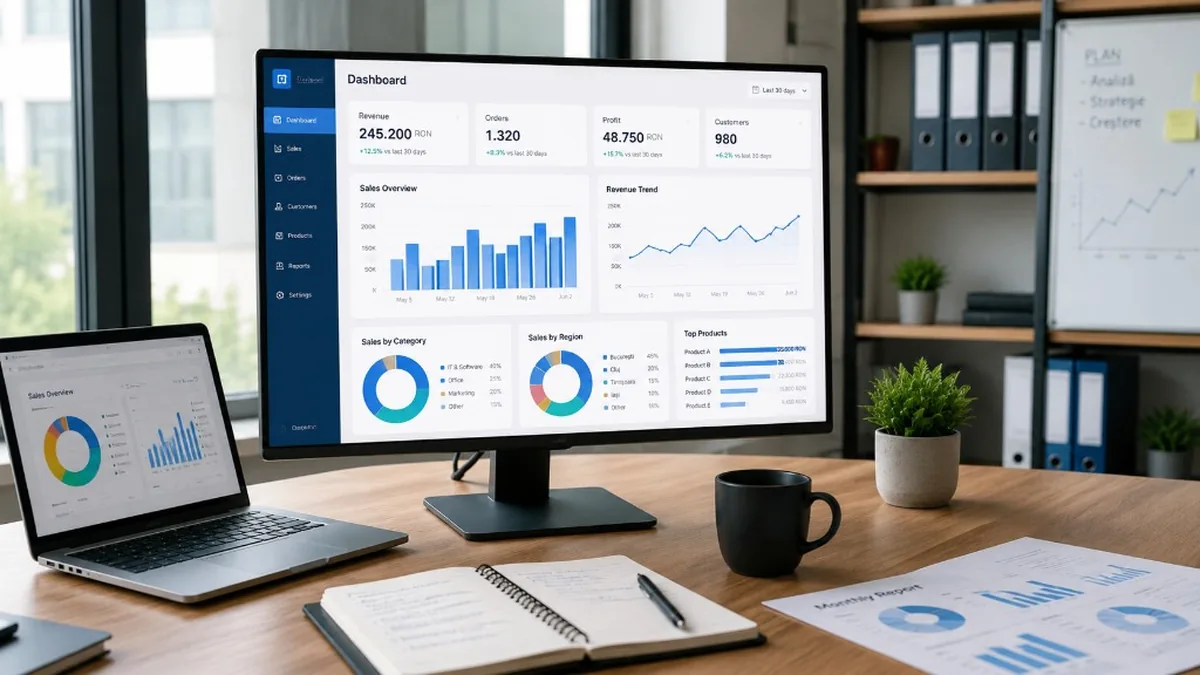
An introduction to BI and data analysis for managers: dashboards, KPIs, automated reports and realistic costs — how to turn data into decisions without an IT department.
In many SMEs, important decisions are still made based on Excel files, reports sent manually by email, team discussions or the manager’s intuition. Sometimes these methods work — especially at the beginning, when the firm is small and the director knows almost everything that is happening.
As the business grows, there are more orders, clients, products, employees, locations and software systems. The data exists, but it is scattered: in invoicing, accounting, CRM, the online store, Excel, inventory, emails or marketing platforms.
The problem is not a lack of data. The problem is that data is not turned into clear information for decisions. This is where Business Intelligence (BI) comes in — the process through which company data is collected, organised, analysed and presented as reports, dashboards and performance indicators.
In 2026, an SME can start with simple, accessible and scalable solutions, without an internal IT department. What matters is starting correctly: with the right questions, the right indicators and a realistic implementation.
What Business Intelligence is, explained simply
BI is not just software. It is a more organised way of using data for decisions.
- Online store — which products sell, which campaigns bring clients, blocked stock, margin by category.
- Services firm — projects in progress, time per client, loaded teams, profitable services.
- Distribution — orders, stock, deliveries, delays, sales agents.
- Clinic — appointments, doctor occupancy, revenue by service, cancellations, waiting time.
BI turns raw data into useful information. It does not only tell you “you had 1,200 orders”. It shows which products generated profit, which clients return, which periods are weak and what needs to be optimised.
Why SMEs need BI
An SME cannot afford to lose money through lack of visibility — blocked stock, unclear margins, missed good clients, delayed reports.
Managers need fast answers: how much did we sell? Which products are profitable? Which clients generate the most money? Where do we have delays? Which campaigns bring real orders? Which stock is locking cash?
Without BI, answers come manually — export, Excel, formulas, email, weekly updates. With BI, reports are automated, dashboards are available anytime, and managers see the situation up to date.
BI without an IT department: is it possible?
Yes — but without an IT department does not mean without any technical competence. The firm can work with an external software company, a BI consultant or a team that configures the initial infrastructure.
A staged model for SMEs:
- identifying data sources;
- choosing a few important KPIs;
- the first dashboards;
- automating collection;
- training users;
- gradual expansion.
The first step can be a management dashboard with 10–15 essential indicators.
What a BI dashboard is
A visual panel with the important indicators: charts, tables, filters, cards, monthly comparisons, alerts. A good dashboard answers questions quickly — it is not a crowded screen with dozens of useless charts.
Sales: total, by month/category, top products/clients, average order value, new vs recurring orders, gross margin, trend.
Operations: orders in processing/delayed, average delivery time, returns, critical stock, productivity, bottlenecks.
Financial: revenue, expenses, gross profit, cash flow, unpaid invoices, clients with delays, costs by department.
What KPIs are and how to choose them
KPI = Key Performance Indicator — a value that shows how well an area is performing. Not every number is a KPI. An SME starts with few indicators, but relevant ones.
| Area | KPI examples |
|---|---|
| Sales | Monthly revenue, orders, average value, conversion, product margin, new/returning clients |
| Operations | Processing time, delayed orders, return rate, productivity, cost/order |
| Financial | Gross/net profit, overdue invoices, cash, expenses by category, service margin |
A good KPI is clear, measurable and useful for decisions. If it does not generate an action, it is probably not a priority.
Automated reports: less Excel, more clarity
Excel remains useful, but it should not be the centre of reporting for a growing firm. The problem: manual exports, fragile formulas, multiple versions by email.
Automated reports take data from systems and update it periodically — daily, weekly or monthly. Advantages: less time, fewer errors, the same source of truth, faster decisions, transparency between departments.
Practical examples for SMEs
1. Retail and e-commerce
Sales by channel/category, high stock + low sales, average basket, returns, margin, campaigns. Example: a product with high sales but a weak margin after shipping and returns — without BI it looks like a success; with BI you see weak real profit.
2. B2B services
Projects, time worked, revenue per client, service profitability. Example: a service with good revenue but a lot of time and a weak margin → renegotiation, automation or removal from the offer.
3. Distribution and logistics
Orders, stock, deliveries, agents, regions, delays. Example: products sitting long in the warehouse, locked capital → reduce purchasing, promotions, renegotiate suppliers.
4. Medical and private clinics
Appointments, revenue by service, doctor occupancy, cancellations, waiting time. Example: same-day cancellations for a type of consultation → SMS confirmations, waiting list.
5. Small manufacturing
Orders, raw materials, yield, defects, cost per product — where losses appear, which lines are efficient, which products have a good real margin.
Where BI data comes from
Invoicing, ERP, CRM, online store, Excel, internal database, inventory, marketing, Google Analytics, ticketing, time tracking, courier, accounting, external APIs.
First stage: identifying sources and the collection method — import, API, direct connection. For SMEs: do not complicate the architecture; if the first dashboards can come from 2–3 sources, start there.
Stages of a BI project for an SME
- Analysis — business questions, which decisions we want to improve.
- Data inventory — applications, files, existing databases.
- KPI definition — indicators for the first version.
- Data cleaning — coherence; otherwise a beautiful but wrong dashboard.
- Dashboards — visual reports, filters, comparisons.
- Automation — periodic updates without manual export.
- Training — how dashboards are read.
- Expansion — new sources, reports, departments.
Realistic BI costs for SMEs
| Project level | Indicative budget | Includes |
|---|---|---|
| Basic BI | €1,500 – 5,000 | Analysis, 1–2 sources, a few essential dashboards |
| Medium BI | €5,000 – 15,000 | More sources, automated reports, KPIs by department, training |
| Advanced BI | €20,000 – 30,000+ | Data warehouse, API, role-based security, complex reports |
Possible monthly cost: BI licences, hosting, maintenance, support, new reports — from tens/hundreds of euros (simple) to thousands (complex). The real cost includes configuration, connecting and cleaning data, not only the licence.
Which BI tools you can use
- Power BI — Microsoft ecosystem, Excel, 365, dashboards and reports.
- Tableau — advanced visualisations, interactive analysis.
- Looker / Looker Studio — Google ecosystem, marketing, analytics.
- Metabase — simplicity, self-hosting, internal dashboards.
The choice: data sources, users, security, autonomy, team skills — not only price.
Common pitfalls in BI projects
- beautiful but useless dashboards;
- uncleaned data — amplifies the mistake;
- too many indicators — 100 charts vs a few relevant ones;
- lack of ownership — who defines KPIs, validates data, uses reports;
- lack of security — differentiated access by role;
- BI as a one-off project, not a continuous process.
How to start correctly
Choose 5–10 business questions that need a constant answer:
- Which are the most profitable products?
- Which clients delay payment?
- Which campaigns bring real sales?
- Which teams have the highest productivity?
- Where do we lose time in operations?
- Which stock is locking cash?
- Which services have a weak margin?
Identify the necessary data. Do not start from technology — start from the decision. A good BI project begins with “we want to know faster what is happening in the business”.
Conclusion
BI is not only for corporations. SMEs can benefit enormously from dashboards, KPIs and automated reports when data already exists but is not used efficiently.
BI helps managers see sales, profitability, stock, clients, teams and risks. It reduces manual reports, lowers errors and provides a clear view of the business.
You do not need an IT department to start — you need clear objectives, relevant data, a few well-chosen KPIs and staged implementation. A management dashboard, a few automated reports, a clean source — then gradual growth with the firm. The data already exists. The difference is the ability to turn it into actions.
Keep reading
- Why do my emails go to spam? Complete guide to SPF, DKIM, DMARC and server reputation
- How to build your own company email server with Mailcow, without monthly per-user subscriptions
- How to prepare your team for new software: training, adoption and resistance to change
- The 8-week MVP: how to launch a product idea without burning the budget
Need guidance on a similar project or a technical audit?