INITWIN · Editorial
Software & digital strategy
Digitising medical practices: what software solutions exist and what the pitfalls are
A practical guide for clinics, practices and polyclinics: online appointments, electronic records, CNAS integration and data security
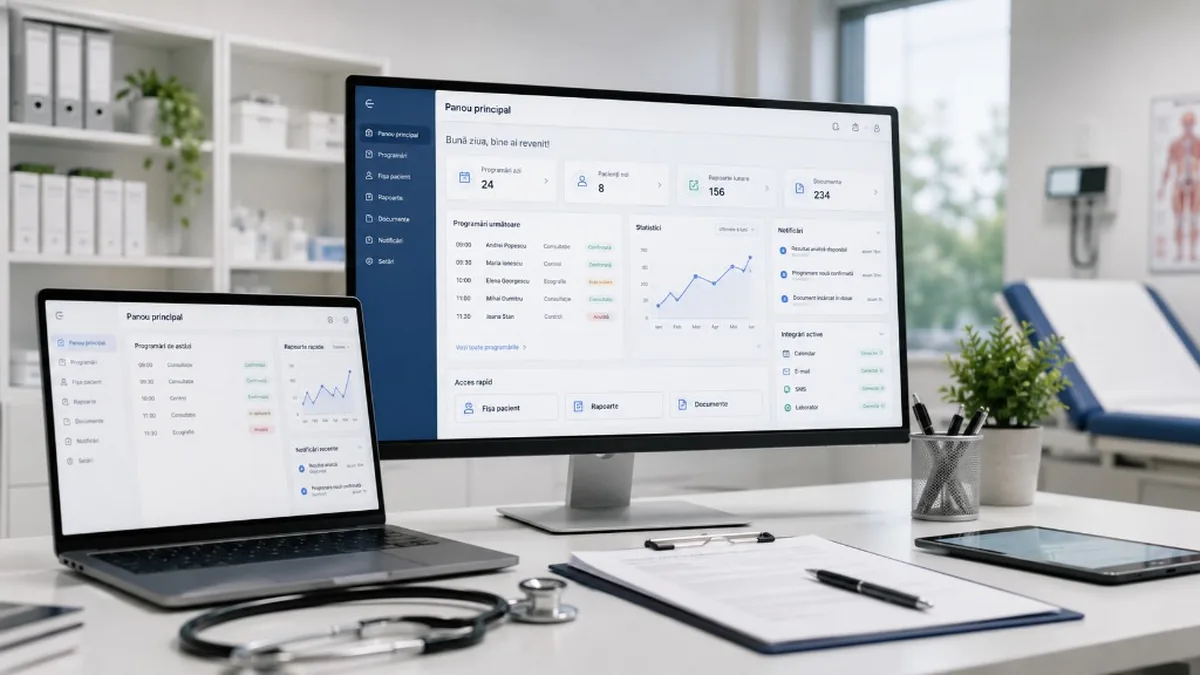
A practical guide for clinics, practices and polyclinics: online appointments, electronic records, CNAS integration and data security — software solutions and pitfalls to avoid.
Digitising medical practices is no longer a future topic. For many clinics, polyclinics and individual practices, it has become a practical necessity. Patients want fast appointments, automatic confirmations, access to results, clear communication and less time wasted at reception. Doctors want quick access to the patient history, organised documents, less bureaucracy and simpler processes. Managers want reports, operational control, financial visibility and predictability.
Medical digitisation is more sensitive than in other fields. A clinic manages health data, diagnoses, investigations, results, treatments, referral notes, prescriptions, medical documents and the relationship with public systems such as CNAS. Medical software should not be chosen only because it “looks good” or “has online appointments” — it must be assessed from the perspective of real workflows, security, reporting, integration and compliance.
A practice can start simply, with online appointments and patient files. A larger clinic may have reception, a call centre, an electronic record, lab integration, payments, reports, doctor management, CNAS contracts, a patient portal and a mobile app. A polyclinic may have roles, specialties, multiple locations, approval flows and multiple integrations.
Why medical practices need digitisation
In many practices, work still relies on paper diaries, Excel, WhatsApp, email, paper forms, phone calls and old software that does not communicate. As patient numbers grow, bottlenecks appear: reception spends time on appointments, patients forget or cancel late, doctors search for documents in multiple places, results are sent manually, managers lack clear reports.
Digitisation does not mean only “having software”. It means clear medical and administrative flows that are tracked and automated — without making staff work harder.
Online appointments: the first visible step for the patient
The patient chooses the doctor, specialty, day and time without calling. The clinic reduces calls and organises the schedule. A good system allows selecting specialty, doctor, location, consultation type and slot — with SMS/email confirmations, controlled rescheduling and no overlaps.
Pitfalls: isolated appointments (reception copies them manually into another system); lack of flexible rules (different durations: 15/30/60 min, breaks, leave, dedicated services).
Automatic confirmations and reducing no-shows
No-shows cost time and revenue. Automatic notifications with date/time, confirmation or cancellation, pre-consultation instructions (fasting, previous tests, form).
Pitfall: too many or too few messages — configure by service, preferred channel and patient behaviour.
The internal electronic patient record
The space where the clinic organises patient data: contact, consultations, diagnoses, recommendations, documents, results, images, consents, treatments, appointment history. The doctor quickly sees the history; reception checks administrative details; managers analyse activity.
Major pitfall — security: not every employee sees every piece of information. Doctor → clinical data; reception → administrative; manager → aggregated reports. Requires roles, permissions, logs, authentication, backup, encryption, data retention.
The patient portal
The patient sees appointments, results, documents, history, invoices, recommendations; fills in pre-visit forms; receives notifications. It reduces calls and manual emails.
Pitfalls: insecure access; documents sent to the wrong patient; minor/guardian accounts; password reset; every access logged. A good experience goes together with data protection.
Lab integration and medical results
Ideal flow: electronic request → processing → automatic import into the record → patient notification. Without integration: download, rename, attach manually, emails.
Pitfall: different formats and APIs; the result must reach the correct patient, with date, investigation and correct access rights.
CNAS integration: necessary, but realistic
For providers connected to the public system: reporting, validations, services, health card, prescriptions, referral notes — dependent on provider type and contract. Goal: reduce duplicated work; data from the internal system should not be re-entered manually.
Pitfall: “it integrates with CNAS” without details — what does that mean concretely? Reporting, validation, export, import, synchronisation? For family medicine, outpatient care, hospital, lab, dentistry? Specifications, versions, certificates, updates — serious analysis before promises.
Document management and electronic signature
Consents, files, recommendations, results, letters, contracts, invoices, GDPR, procedure agreements. Generation, upload, storage, search; electronic signature where it makes sense.
Pitfall: documents without categories, naming rules, link to patient/consultation — digital chaos instead of an organised cabinet. Organisation by patient, type, date, consultation, doctor, access level.
Reports for management
- appointments by specialty;
- occupancy rate by doctor;
- revenue by service;
- cancellations and no-shows;
- average waiting time;
- new vs returning patients;
- appointment sources;
- profitable services;
- performance by location;
- collections, balances, reimbursements.
Pitfall: beautiful but useless reports. The dashboard answers real questions: which specialty has high demand but few slots? Which doctor has a full schedule but revenue below expectations? Where do most cancellations appear?
Security and GDPR: the area that is not negotiable
Secure authentication, passwords, roles, activity journal, backup, encryption, secure connections, access control. The clinic must know the data controller, processor, what data, purpose, storage, access, retention.
“The software solves GDPR” — false. Software provides tools; the clinic has procedures: training, access rules, supplier contracts, privacy policies, patient requests, incident plan.
Migrating data from old systems
Old software, Excel, PDF archives, diaries, folders. Before migration: duplicate patients, incomplete fields, documents without a patient, different formats. A good migration: backup, mapping, test import, validation, rollback. Some data is archived, some is cleaned.
Pitfall: a “simple” import — in healthcare, data has context. A consultation without the correct doctor, date or patient = real problems.
Standard software or a custom application?
Standard — small practices, usual flows, limited budget, fast implementation.
Custom — specific flows, multiple locations, complex integrations, portal, automations, special reporting, differentiation.
Hybrid — existing software for standard areas + custom modules for portal, reporting, integrations, patient experience.
Pitfalls: forcing the clinic into the limits of unsuitable software; full custom for what already exists and works.
Common problems in medical digitisation projects
- lack of analysis of real flows;
- staff resistance to cumbersome applications;
- underestimating integrations (CNAS, lab, billing, SMS, portal);
- lack of training;
- lack of post-launch support.
How to start digitising a clinic correctly
- Process analysis — where is time lost? errors? what do patients ask for? what does reception do manually?
- Prioritisation — online appointments, schedule, patient file, notifications, basic reports.
- Security — roles, access, backup, data protection from the start.
- Integration — CNAS, lab, billing, payments, SMS, email, portal.
- Gradual implementation — staged launch vs a full overnight change.
Conclusion
Digitising medical practices brings simple appointments, informed patients, less manual work, fast access to documents, clear reports and efficient processes. But it must be done carefully: medical flows, sensitive data, external integrations, scalability.
Online appointments, electronic record, patient portal, lab, reporting, documents and CNAS are parts of the same digital ecosystem. Pitfalls appear when the project is rushed, security is superficial, integrations are vaguely promised or real users are not involved.
For a modern clinic, software is no longer just an administrative tool — it is the infrastructure that supports the patient experience, team efficiency and the quality of decisions.
Keep reading
- Why do my emails go to spam? Complete guide to SPF, DKIM, DMARC and server reputation
- How to build your own company email server with Mailcow, without monthly per-user subscriptions
- How to prepare your team for new software: training, adoption and resistance to change
- The 8-week MVP: how to launch a product idea without burning the budget
Need guidance on a similar project or a technical audit?