INITWIN · Editorial
Software & digital strategy
How we write technical documentation at INITWIN: why the client gets more than code
API, user manual, architecture and maintenance guides — delivered project vs. truly usable project
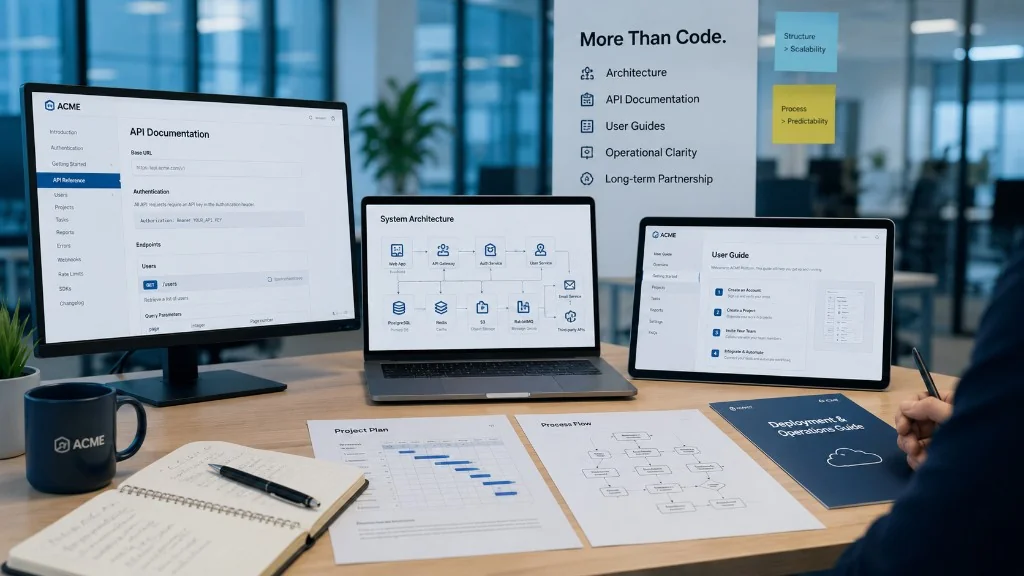
API documentation, user manual, system architecture and maintenance guides — the difference between a delivered project and one that is truly usable.
When a company orders a software application, the first thought goes to the code that makes the platform work. But in a serious project, code is not enough.
An application can be well written but hard to understand; it can work today but be hard to change in a year; it can have APIs with no documentation for integration. If nobody explains the architecture, the client becomes permanently dependent on the person who wrote it.
At INITWIN, technical documentation is part of the product, not an optional appendix. The client receives a system that is explained, documented and ready for use, maintenance and further development.
Why documentation matters
Documentation is the project’s memory: what was built, why, how it works, how to use, maintain and extend it. After a few months questions appear — new role, API endpoint, email template, backup, ERP integration, permissions, deployment. Without documentation, every question becomes an investigation.
For the client = control. For the team = clarity. For the future = continuity.
Documentation is not bureaucracy
We write useful documentation that answers real questions: how the client uses the application, how to integrate the API, how a developer runs it locally, how deployment works, how to check logs, how to fix common errors. Clear, structured, kept up to date.
What we document in an INITWIN project
- architecture, modules, database, roles and permissions;
- APIs and business flows;
- user manual and administrator guide;
- deployment, environments, external integrations;
- backup, monitoring, maintenance and extension.
A presentation site needs less than a platform with roles, payments, ERP and notifications — but every serious project gets documentation suited to its risk.
Architecture documentation
Components, technologies, frontend–backend communication, DB, external services, workers, queues, authentication, files, logging. When the client wants a mobile app, an AI module or another team takes over the project, documented architecture enables accurate estimates. Without it, the application becomes a black box.
API documentation
Endpoints, methods, parameters, responses, errors, authentication, permissions, request/response examples, limitations. An undocumented API = slow integrations and assumptions. If the system must be integrated, API documentation is part of delivery.
User manual and administrator guide
The manual — for those who use the application daily: accounts, reports, approvals, documents, exports, statuses, frequent errors. Reduces dependence on support and onboarding for new employees.
The administrator guide — roles, permissions, modules, emails, templates, logs, irreversible actions. Prevents serious mistakes (deletions, wrong access).
Database and business flows
Main tables, relationships, sensitive fields, audit, retention — transparency and speed for future developers. In CRM, medical portals or order platforms, data is the most valuable asset.
Documented flows: order, approval, payment, invoice, delivery, return, ticket, notification — reduce ambiguity (“we thought the email was sent automatically”).
Deployment, maintenance and integrations
Deployment: dev/staging/prod environments, build, variables, migrations, rollback, post-launch checks, CI/CD if applicable.
Maintenance: backups, logs, SSL, DB performance, jobs, integrations, recurring errors — the basis of a transparent monthly contract.
Integrations: which service, what data in/out, errors, retry, webhooks, credentials, API limits, costs — the most sensitive part when an external vendor changes.
Why it justifies a premium price
Delivery with code only seems cheap but costs long term: repeated support, dependence on one developer, wrong estimates, slow integrations, difficult migration. Good documentation takes time, but the client buys a system they can administer and extend.
The difference vs. “code only” deliveries
In cheap projects, documentation is often the first thing cut. After launch: changes without understanding the system, undescribed API, unknown setup for a new developer, the same questions from users. At INITWIN, documentation is part of quality — essential for projects that must last over time.
Transfer of control and updates
Good documentation = the client can train users, request an audit, integrate other systems, change vendor if they wish, understand maintenance. We prefer long-term relationships based on trust, not being locked into a system only we understand.
Documentation must be updated with changes: new endpoint → API doc; changed flow → business doc; new role → administrator guide. Otherwise it becomes dangerous.
What the client receives in practice
Depending on the project: architecture, manual, admin guide, API, DB, deployment, maintenance, integrations, flow diagrams, external services, backup/restore, troubleshooting, onboarding FAQ.
Conclusion
Code makes the application work. Documentation makes it easy to understand, use, maintain and extend — control, clarity, lower long-term risk.
A software project should not be a black box. When we deliver an application, we deliver more than code: structured knowledge about the system built. That is the difference between a finished project and one prepared for the future.
Keep reading
- Why do my emails go to spam? Complete guide to SPF, DKIM, DMARC and server reputation
- How to build your own company email server with Mailcow, without monthly per-user subscriptions
- How to prepare your team for new software: training, adoption and resistance to change
- The 8-week MVP: how to launch a product idea without burning the budget
Need guidance on a similar project or a technical audit?