INITWIN · Editorial
Software & digital strategy
GDPR and custom software: what every entrepreneur must know before collecting data
Consent, right to erasure, audit logs, encryption, DPA and data protection from the design phase
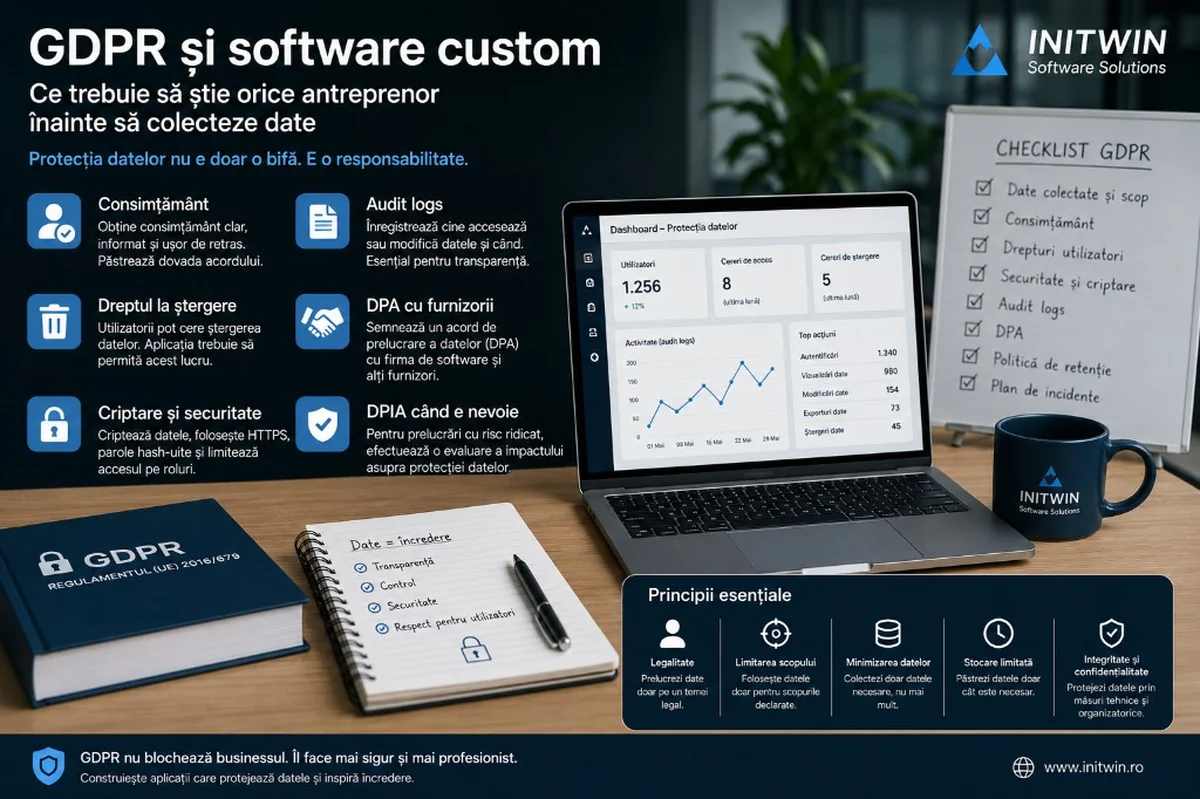
Consent, right to erasure, audit logs, encryption, DPA and data protection from the design phase — a guide for entrepreneurs building custom applications.
When an entrepreneur decides to build custom software, the first discussions are usually about features: user accounts, dashboard, payments, forms, notifications, reports, client portal, mobile app or integrations with other systems.
Very rarely is the first discussion about data.
What data do we collect? Why do we collect it? Who has access to it? How long do we keep it? How do we delete it? How do we prove the user gave consent? What happens if a client requests data export? Who is responsible if a security breach occurs? What obligations does the software company have and what obligations does the client have?
These questions may seem legal, but they have direct technical consequences. GDPR is not just a privacy policy placed in the footer. GDPR influences application architecture, the database, logs, permissions, forms, notifications, backups, contracts with providers and how the application responds to user requests.
For custom software, data protection must be planned from the first stage, not added at the end. If the application is built without deletion logic, without audit, without roles, without consent records and without access control, compliance becomes harder and more expensive later.
GDPR is not just the lawyer's problem
Many entrepreneurs treat GDPR as a legal document: privacy policy, terms and conditions, cookie banner and perhaps a contract with the software company.
These documents are important, but they are not enough.
If your application collects names, emails, phone numbers, addresses, billing data, documents, messages, locations, IP addresses, medical data, financial data or any other information that can identify a person, then GDPR must also be integrated into how the application works.
For example, it is not enough to write in the privacy policy that the user can request data deletion. The application must allow identification of data associated with that user, analysis of the legal basis for retention or deletion and execution of the request in a controlled way.
It is not enough to say that data is protected. The application must have passwords stored correctly, secure connections, roles, permissions, backup, logs and measures against unauthorised access.
It is not enough to have a consent checkbox. You must know exactly what the person consented to, when, through which form, for what purpose and how they can withdraw consent.
GDPR is legal, but its implementation is also technical.
Start with the right question: what data do we collect and why?
The first step in a custom software project is data inventory. Before building forms and databases, it must be clarified what information is truly necessary.
Useful questions:
- What data do we collect from users?
- Which are mandatory and which are optional?
- For what purpose do we use each category of data?
- Do we really need this data or are we collecting it "just in case"?
- Who has access to it?
- How long do we keep it?
- Do we transmit it to external providers?
- Do we use it for marketing?
- Do we use it for profiling or automated decisions?
- Do we export it to other systems?
- Do we store it in Romania, in the EU or outside the EU?
This analysis is important because one of the healthy principles in data protection is minimisation: you collect only what you need for the declared purpose.
If the application is an appointment portal, you may need name, phone, email and the requested service. But you may not need a national ID number. If the application is a marketplace, you need billing and delivery data. But you may not need to keep certain documents after the process is completed.
The more data you collect, the greater the responsibility.
Legal basis: consent is not the only option
A common mistake is assuming that any processing must be based on consent. In reality, consent is only one of the possible legal bases.
Depending on the situation, data can be processed for contract performance, legal obligation compliance, legitimate interest, consent or other grounds provided by GDPR.
For example, if a client buys a product, you need their data to process the order and issue an invoice. Here it is not necessarily about consent, but about contract performance and legal obligations.
If you send a commercial newsletter, you most likely need consent or a very careful analysis of the basis used.
If you keep invoices, you cannot delete everything immediately just because the user requests deletion, because there may be tax retention obligations.
That is why the application must be designed according to different purposes and bases. Not all data has the same regime.
Consent: not just a checkbox
If you use consent as a legal basis, it must be treated seriously. A hidden, pre-checked or vaguely worded checkbox is not a good solution.
Consent must be clear, specific, informed and easy to withdraw. The user must understand what they are agreeing to.
Examples of poor consent:
- "I agree to everything."
- "I accept the terms and marketing."
- "I agree to data processing."
Better examples:
- "I agree to receive newsletters with offers and articles by email."
- "I agree for my data to be used to create an account on the platform."
- "I agree to be contacted by phone for details about my submitted request."
In a custom application, consent must be saved as an event in the system. Ideally, the application should keep:
- who consented;
- for what purpose;
- date and time;
- version of the accepted text;
- source of consent;
- IP address or other relevant identifier, if justified;
- moment of consent withdrawal, if applicable.
This record is important for demonstrating compliance.
Right to erasure: more complicated than it seems
The right to erasure, sometimes called the "right to be forgotten", is one of the best-known GDPR rights. Many users believe they can always request complete deletion of all data. In practice, things are more nuanced.
Some data can be deleted immediately. Other data must be kept for a period for legal, contractual, tax or rights defence reasons.
For example, an inactive user account can be deleted or anonymised. But invoices issued to that client may need to be kept according to legal obligations. A support request can be deleted after a reasonable period, but a transaction history may have a different regime.
That is why software must allow differentiation of data:
- account data;
- billing data;
- contractual data;
- operational data;
- marketing data;
- technical logs;
- uploaded documents;
- order history;
- messages;
- anonymised data for reporting.
A well-designed application does not treat deletion as a simple "delete user" button. In many cases, it is more correct to have deletion, anonymisation, restriction or archiving flows, depending on the nature of the data.
Right of access and portability: can you export user data?
GDPR gives data subjects the right to know what data is processed and, in certain situations, to receive a copy of the data in a usable format.
From a software perspective, this means the application should be able to identify and export data associated with a person.
In a simple system, this can be easy. In a complex application, data can be spread across multiple tables: account, profile, orders, invoices, messages, documents, notifications, logs, preferences, consents, payments and activity.
If this requirement is not planned from the design phase, responding to an access request can become a difficult manual operation.
For business applications, it is useful to have an administrative module where the operator can search for a person and see what categories of data are associated with them. Depending on context, a structured export can be generated.
Audit logs: who did what, when and from where?
Audit logs mean recording important actions in the application. Not every click needs to be saved, but relevant actions must be tracked.
Examples:
- who accessed a file;
- who modified a client's data;
- who downloaded a document;
- who changed a user's role;
- who deleted a record;
- who exported data;
- who approved a request;
- who modified consent;
- who changed security settings.
Audit logs are important for security, accountability and investigations. If a problem occurs, the company must be able to see what happened.
However, logs must be designed carefully. They can contain personal data and must be protected. They should not be kept indefinitely without reason. There must be rules regarding access to logs, retention period and protection against modification.
A good log is useful only if it is complete, secure and easy to interpret.
Encryption: important, but not enough
Encryption is an important technical measure, but it is not the only security measure.
In a custom application, encryption can appear in several forms:
- HTTPS connection;
- password encryption through secure hashing;
- encryption of sensitive data in the database;
- encryption of backups;
- encryption of stored files;
- encryption of communication between services.
But security does not stop there. You also need:
- roles and permissions;
- strong authentication;
- 2FA for administrators;
- limiting internal access;
- tested backup;
- monitoring;
- input validation;
- protection against common attacks;
- security updates;
- password policies;
- separation of test and production environments;
- principle of minimum necessary access.
Encryption protects data, but it does not compensate for a poorly designed application.
Privacy by design and privacy by default
Data protection must be planned from the design phase. This is the idea behind privacy by design and privacy by default.
In practice, this means the application must be built to collect and expose by default only the minimum necessary data.
Practical examples:
- a user sees only their own data;
- an employee sees only the clients they handle;
- a manager sees aggregated reports, not necessarily all sensitive data;
- optional fields are not mandatory without reason;
- sensitive data does not appear in email notifications;
- links to documents expire;
- exports are limited by roles;
- inactive accounts are reviewed periodically;
- data is deleted or anonymised after the established period;
- passwords are never sent by email.
Privacy by default means default settings are secure. The user should not have to manually configure data protection to be protected.
DPA: the contract between controller and processor
DPA stands for Data Processing Agreement. In a software project, the entrepreneur is often the data controller, because they decide why and how data is processed. The software company can be a processor if it processes data on behalf of the client, for example through hosting, maintenance, support or database access.
This role must be clarified contractually. A DPA should explain:
- what data is processed;
- for what purpose;
- for how long;
- what categories of data subjects exist;
- what obligations the provider has;
- what security measures apply;
- whether subprocessors exist;
- where data is stored;
- how data subject requests are handled;
- how incidents are notified;
- what happens to data at the end of the contract;
- how audits or checks are conducted.
Without a DPA, the relationship between client and software company can be ambiguous, especially if the provider has access to real data.
Backup and restore: you do not have real protection if you cannot restore
Backup is essential. But a backup that has not been tested is only hope.
A custom application that collects personal data must have a clear backup strategy:
- how often backup is performed;
- where it is stored;
- whether it is encrypted;
- how long it is kept;
- who has access;
- how restoration works;
- how long restoration takes;
- how it is tested periodically;
- what happens if the backup contains data that was subsequently deleted.
The last question is important. If a user requests data deletion, but their data remains in backups for a period, there must be a clear policy. Usually, backups serve recovery in case of incident and are kept for a limited period, but they should not be used as an uncontrolled parallel archive.
Security breaches: do you have a plan?
A security breach does not mean only a spectacular attack. It can also mean sending a file to the wrong person, unauthorised account access, exposure of data through a public link, loss of a laptop or a server configuration error.
In a custom application, there must be a plan for incidents:
- how we detect the incident;
- who is notified internally;
- who analyses the impact;
- what logs we check;
- how we limit the effects;
- what we communicate to the client or users;
- when we notify the authority, if applicable;
- how we document the incident;
- what measures we take to prevent recurrence.
The software company must know what obligations it has if it discovers an incident. The client must know who makes decisions and how communication happens.
Security is not only prevention. It is also organised response.
Sensitive data: medical, financial, legal, minors
Not all data has the same risk level. Some software projects are more sensitive than others.
A medical application, patient portal, legal system, financial platform, HR application or system that processes data about minors must be treated with extra care.
In these cases, additional measures may be necessary:
- two-factor authentication;
- advanced encryption;
- detailed audit;
- strict role separation;
- DPIA;
- clear retention policies;
- user training;
- legal review;
- strict contracts with providers;
- security testing;
- monitoring.
The more sensitive the data, the more carefully the application must be designed.
GDPR and AI in custom applications
If the application uses artificial intelligence, things must be analysed separately. AI can process personal data in less obvious ways.
Examples:
- chatbot that receives questions from clients;
- AI that classifies documents;
- AI that extracts data from invoices;
- AI that analyses user behaviour;
- AI that generates recommendations;
- AI that detects anomalies in data.
Before integrating AI, it must be clarified what data is sent to the model, where it is processed, whether it is stored, whether it is used for training, who has access and how transmitted information can be limited.
A good rule is minimisation of data sent to AI. The model should receive only what it needs for the respective task. Also, for important decisions, it is recommended that humans retain final control.
Common mistakes in custom software projects
- GDPR as a final stage — adding deletion, audit, roles and export later can be costly.
- Excessive data collection — every extra field brings extra responsibility.
- Vague consent — a general checkbox does not solve all problems.
- Lack of a retention policy — data should not be kept indefinitely.
- Missing audit logs — hard to investigate incidents or abuse.
- Real data in testing — without anonymisation or clear rules.
- Missing DPA — with providers who have access to data.
- Reduced security — for administrator accounts.
- No breach plan.
- Assuming the software company "handles GDPR" alone — compliance is a shared responsibility.
Checklist for entrepreneurs before development
Before building a custom application that collects data, clarify the following:
- What personal data do we collect?
- For what purpose?
- What is the legal basis?
- What data is mandatory and what data is optional?
- Who has access?
- What roles exist?
- How do we obtain and demonstrate consent?
- How can consent be withdrawn?
- How do we respond to access, rectification, erasure or portability requests?
- How long do we keep data?
- What data is anonymised?
- What data is deleted?
- What data is kept for legal obligations?
- Are there audit logs?
- Is there encryption?
- Is there tested backup and restore?
- Is there a DPA with the software company?
- Are there subprocessors?
- Where is data hosted?
- Is there an incident plan?
- Is a DPIA needed?
- Is there an updated privacy policy?
- Is the application designed with privacy by design and privacy by default?
This checklist does not replace legal advice, but it helps enormously in discussions with the software company and lawyer.
The role of the software company
A serious software company should not say "GDPR is the lawyer's problem". Nor should it promise that "the application is 100% GDPR compliant" without legal and operational analysis.
The correct role of the software company is to build the technical features that enable compliance:
- roles and permissions;
- consents saved correctly;
- data export;
- deletion or anonymisation;
- audit logs;
- security;
- encryption;
- backup;
- access limitation;
- documentation of technical processes;
- support for data subject requests;
- incident response measures.
GDPR compliance is the result of collaboration between entrepreneur, lawyer/DPO and technical team.
Conclusion
GDPR should not be seen as an obstacle in software development. If approached correctly, it can become a sign of maturity and trust.
A custom application that takes data protection seriously is safer, better organised and more prepared for growth. Clients have more trust, the team works more clearly and the company reduces risks.
For entrepreneurs, the most important lesson is this: data protection must be discussed before development begins, not after launch.
Consent, right to erasure, audit logs, encryption, DPA, backup, roles and retention policies are not bureaucratic details. They are components of a serious business application.
Good custom software does not collect data randomly. It collects data with purpose, protects it by design and gives the company the tools needed to respond responsibly to users and authorities.
Keep reading
- Why do my emails go to spam? Complete guide to SPF, DKIM, DMARC and server reputation
- How to build your own company email server with Mailcow, without monthly per-user subscriptions
- How to prepare your team for new software: training, adoption and resistance to change
- The 8-week MVP: how to launch a product idea without burning the budget
Need guidance on a similar project or a technical audit?